ga4 event parameters data checker
published 2025-09-13 · updated 2025-11-10 · bigquery ga4 notebook · [repo]
Checking GA4 event parameters in a BigQuery export can be tedious. When you need to quickly scan parameters for a data check or to debug a GTM setup, you are faced with a large set of events and parameters, and it is easy to get lost if you do not know exactly what you are looking for.
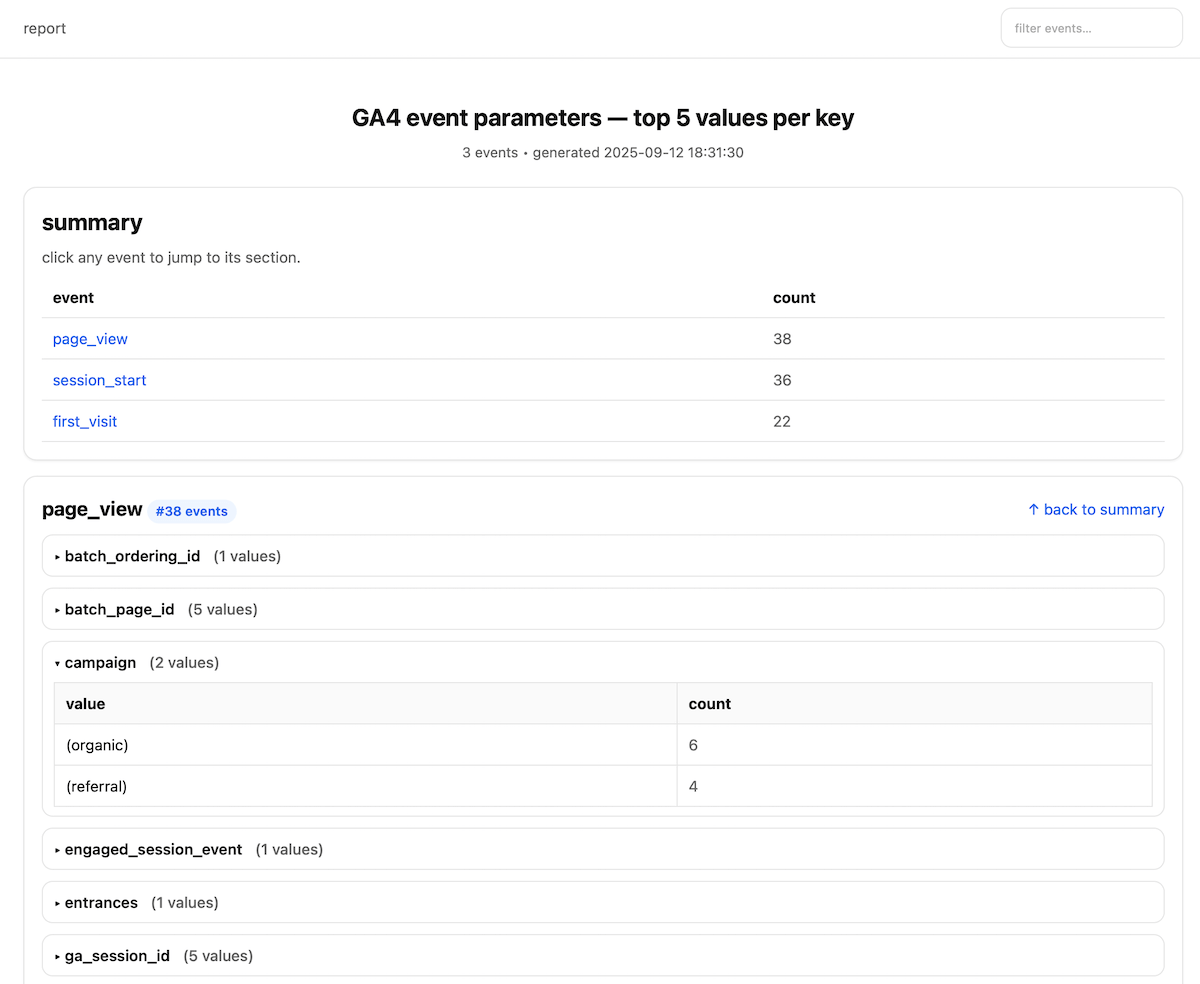
Because of that, I made a BigQuery Studio Notebook to simplify the process. This tool takes event parameters from your GA4 BigQuery data, computes the “top k” values for every parameter key, and turns them into a clean, organized HTML file. The output is easy to read and straightforward to share with colleagues or clients.
How to Get Started
Getting started is straightforward. Follow these three steps:
-
Get the Notebook: Go to the GitHub repository and either download the file or copy the notebook URL.
-
Open BigQuery Studio: In BigQuery, open the Notebooks section, click the three dots, and choose Upload to notebooks.
-
Upload: Paste the file or URL you copied and click Upload.
Once the notebook is imported, set the required variables as instructed and run it.
A Quick Heads-Up
- First-time users: If this is your first time running a BigQuery Studio Notebook, you will need to enable the required APIs when prompted.
- Cost: Running notebooks is not free; you are charged for the data queried and the processing used.
The same logic can be reused in Colab, VS Code, or Jupyter: install the required libraries and adjust the “Query data” cell to read your data from BigQuery.